Lomo Filter
The bold toy-camera look: dark corners, punchy color, and high contrast.
No photo? Try a sample
Presets in this editor
Lomo Punch
Loads automatically on this pageDark toy-camera vignette with loud, punchy color.
The exact values this preset sets, so you can rebuild or tweak it by hand:
iPhone 4
Soft edges, gentle grain, slightly warm 2010s smartphone vibe.
Grain 38 · Softness 32 · Vignette 18
Warm Digicam
Golden-hour point-and-shoot warmth with punchy colors.
Grain 28 · Softness 18 · Warmth 66
Cool CCD
Cleaner, slightly cool vintage sensor feel (subtle green/cyan lean).
Grain 22 · Softness 14 · Aberration 12
Flash Pop
Harsh highlights + glow like a built-in flash at night.
Bloom 20 · Grain 18 · Contrast 60
Soft Nostalgia
Dreamy, faded, warm — heavy softness + bloom for a nostalgic vibe.
Softness 48 · Grain 30 · Bloom 26
2000s Y2K
Warm, faded early-digicam color with soft grain and a gentle vignette.
Grain 30 · Fade 18 · Softness 16
Disposable Flash
Hard close-flash glow, warm grain, casual single-use snapshot energy.
Grain 26 · Bloom 24 · Softness 12
Huji-Style
Warm flashed glow with grain, made for the corner date stamp.
Grain 29 · Softness 14 · Bloom 14
Dazz-Style
Cool CCD glow with extra bloom and old-sensor color fringe.
Grain 22 · Bloom 14 · Aberration 13
Kodak Gold
Golden film warmth with soft skin tones and fine grain.
Grain 22 · Warmth 63 · Softness 12
35mm Film
Fine grain and restrained, true-to-life analog color.
Grain 25 · Softness 14 · Vignette 8
Film Grain
Fine, even film texture over otherwise natural color.
Grain 35 · Softness 10 · Fade 10
Vintage Fade
Old-print warmth with lifted blacks and darkened corners.
Grain 28 · Fade 21 · Softness 20
Polaroid
Washed instant-film fade with gentle warmth and a soft glow.
Softness 22 · Fade 21 · Vignette 20
70s Print
Heavily faded amber print: washed-out blacks, low saturation, soft detail, dark corners.
Fade 30 · Grain 28 · Softness 26
80s Print
Faded drugstore-print colour: warm, pink-leaning, low contrast, soft grain.
Grain 32 · Fade 26 · Softness 24
90s Snapshot
Point-and-shoot flash, coarse film grain, punchy lab colour, neutral warmth.
Grain 34 · Bloom 18 · Softness 12
Matcha Latte
Soft matcha green: pale soft highlights, a green-olive cast, gentle haze, clean detail.
Tint 80 · Softness 22 · Grain 18
Frequently Asked Questions
It is the bold, toy-camera style made famous by Lomo cameras: heavy vignette in the corners, punchy saturated color, strong contrast, and a bit of unpredictable character. It turns an ordinary shot into something graphic and moody.
Push the vignette up so the corners go dark, raise saturation and contrast, and add a little grain. The darkened frame pulling the eye to the center is the signature move.
They overlap, but lomo is bolder and more graphic, where a vintage filter is softer and more faded. If the vintage look feels too gentle, lomo is the punchier option.
Shots with a clear subject in the center, or strong colors, take the lomo treatment well because the vignette and saturation reinforce them.
No. Free, no account, no watermark.
No. Processing is local to your browser.
About This Tool
Lomo cameras were cheap plastic toys that got everything "wrong," and photographers fell in love with the result. Dark vignetted corners, oversaturated color, hard contrast, and a bit of unpredictable character turned ordinary snapshots into something graphic and alive. This page recreates that lomography style.
Upload a photo and the Lomo Punch preset darkens the corners straight away; push the vignette further, then raise saturation and contrast until the color pops. A little grain finishes it. The darkened frame pulling your eye to the center of the photo is the signature lomo move, so do not be shy with it.
It works best on shots with a clear central subject or strong colors, since the vignette and saturation reinforce them. Where a vintage filter is soft and faded, lomo is the opposite: punchy and bold. Reach for it when you want a photo to feel loud rather than nostalgic.
Everything runs in your browser with no upload, on mobile and desktop alike. It is free, with no account and no watermark, so export at full quality and post away.
See the difference
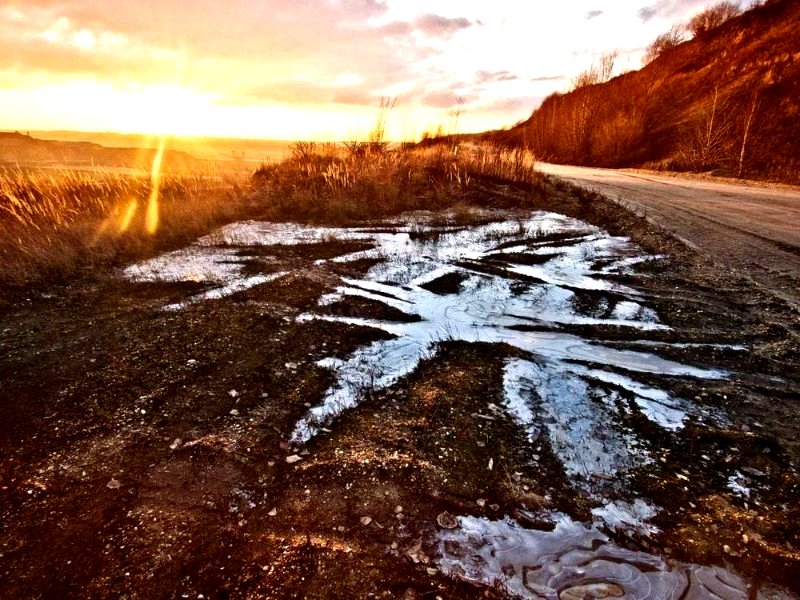
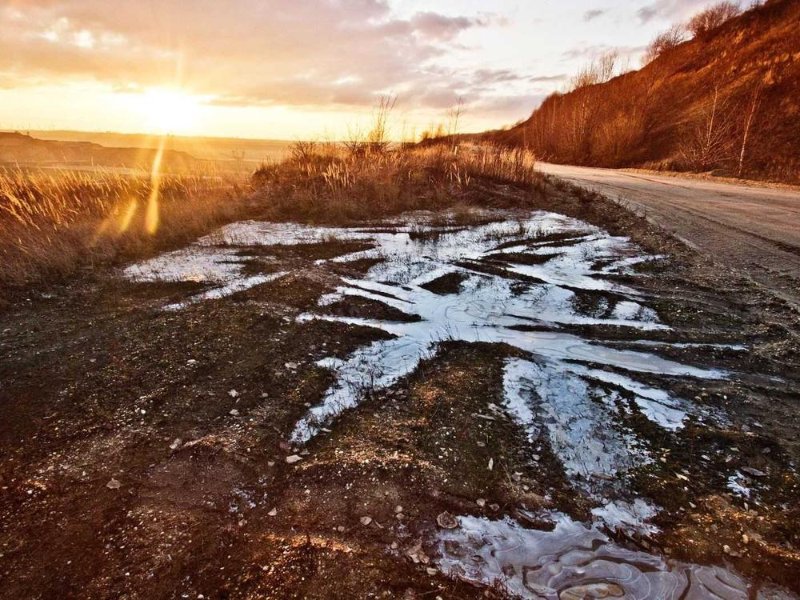
How to get the lomo look
- 1
Upload your photo
Shots with a clear central subject or strong colors work best. Nothing is uploaded.
- 2
Start from Lomo Punch
The Lomo Punch preset loads with the corners already dark. Push vignette, saturation, and contrast further until the color pops the way you want.
- 3
Add grain, export
A little grain finishes the toy-camera feel. Download at full size.
A lomo recipe
Lomo is bold by design. Do not be shy with the vignette; the dark frame is the whole point.
Lomo vs the other looks
Lomo is the boldest look in the set: dark corners, loud color, hard contrast. The vintage and 2000s looks are soft and faded by comparison. Reach for lomo when you want a photo to feel graphic rather than nostalgic.
High contrast photography: what it means and how to get it
Lomo Punch runs contrast at 60, as high as any preset here. How far you can push it before the picture breaks.
Try another look
Not after a whole look? You can also adjust the vignette on its own or age the photo itself. The rest are on the tool list.