How to fake the disposable camera effect online
The flash, the grain, the slightly-wrong color: here is how to get the one-time-use camera feel from a normal photo.
By Skyz, maker of DigicamFilter · Updated July 10, 2026
Disposable cameras are charming precisely because they are not very good. The fixed lens, the cheap film, and that blunt little flash all add up to a photo that feels caught rather than composed. That is the energy people are chasing when they search for a disposable camera filter.
You can get surprisingly close from a normal photo. The trick is knowing which "flaws" to add, and which to leave out.
What makes a disposable photo look that way
- •The flash: a hard, direct burst that overexposes whatever is closest and falls off fast into the background. This is the loudest signal of the look.
- •Warm color: drugstore film and the flash together push a warm, slightly yellow-green cast.
- •Soft focus: the simple plastic lens was never sharp, especially at the edges.
- •Grain everywhere: real film grain sits over the whole frame, heavier in the shadows.
- •High contrast: blacks crush, highlights blow, and there is not much subtle tone in between.
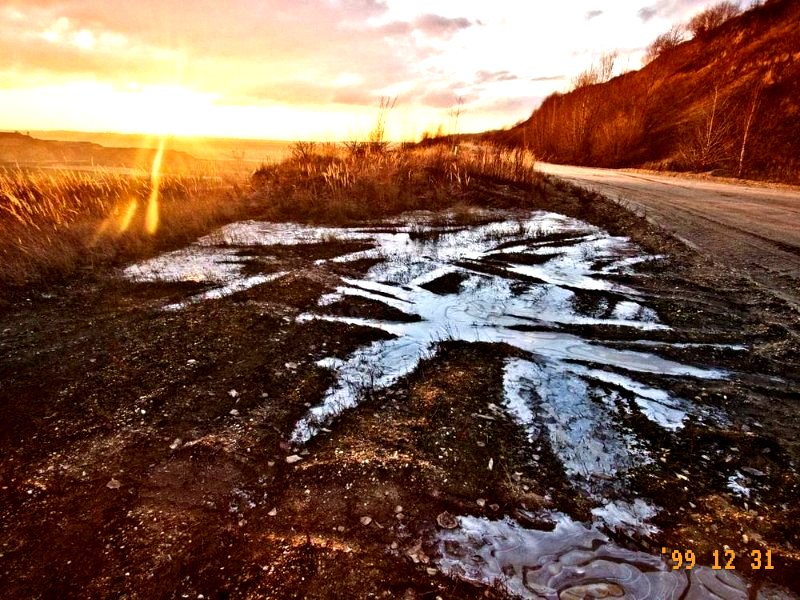
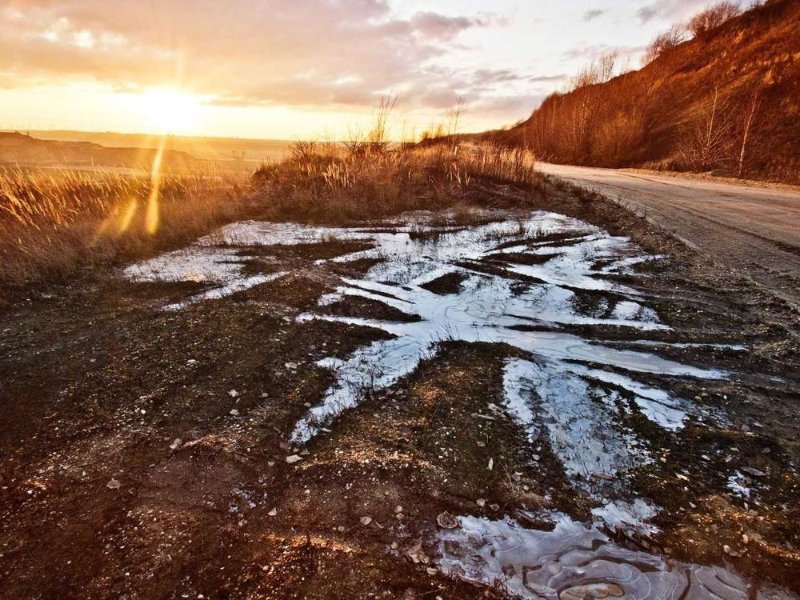
Recreating it, step by step
- 1Open the disposable camera filter and load a photo. Indoor and night shots work best because the flash look has the most to do.
- 2The Disposable Flash preset loads automatically. It is built around bright highlights and a glow that stands in for a close, hard flash.
- 3Raise Highlights and Bloom together until the nearest subject feels "flashed." This is the heart of the effect.
- 4Add warm grain for film texture, and keep contrast high so the shadows go properly dark.
- 5Optionally turn on the date stamp and set a year, the way one-hour labs printed it on every frame.
- 6Export at original size, especially if you plan to print.
A disposable-camera starting point
Day versus night
The look changes a lot with light. At night or indoors, lean in: a strong flash glow reads as completely authentic. In daylight, a real disposable would not fire as hard, so pull Bloom and grain back a notch. Otherwise the photo looks over-flashed rather than sunny.
| Scene | Bloom | Grain | Notes |
|---|---|---|---|
| Party / night out | 22–28 | 26–34 | Full send. The flash is the photo. |
| Indoor, normal light | 16–22 | 22–28 | Glow yes, blowout no. |
| Golden hour outdoors | 10–16 | 20–26 | Warmth does the work; keep the flash subtle. |
| Bright midday sun | 6–12 | 16–22 | Real disposables barely flashed here. Less is more. |
Going too soft. The lens was imperfect, but the flash still produced a sharp, bright subject. If everything turns mushy, lower Softness and let grain carry the texture instead.
Filter vs buying a real disposable
Real disposables are a lovely ritual, and also an expensive one now. A camera runs 15 to 25 dollars for 27 exposures, developing and scanning adds 10 to 20 more, and you wait days to find out half the frames are of the inside of a pocket. That works out to roughly a dollar per photo, none of which you can retake.
| Real disposable | This filter | |
|---|---|---|
| Cost | ~$25–45 per roll, all-in | Free |
| Wait | Days for developing | Instant |
| Do-overs | None, 27 frames total | Unlimited, non-destructive |
| Works on old photos | No | Yes, any photo in your camera roll |
| The ritual | Real and fun | Absent, honestly |
The honest take: if you love the anticipation and the physical object, shoot the real thing on occasions that deserve it. For the other 360 days a year, applying the look to photos you already have gets you the aesthetic without the per-shot anxiety.
Upload a photo and try the flash look. Everything runs locally in your browser.
Frequently Asked Questions
Yes. Turn on the date stamp in the editor, type any date, and it prints in the bottom-right in the classic orange dot-matrix style, the same way one-hour labs and point-and-shoots stamped film photos.
Indoor, night, and flash-style shots respond the best, because the bright close-flash look has the most to work with. Daytime photos work too with a lighter touch.
They do not, technically. They look more alive because the hard flash, warm film color, and grain break the evenness that phone processing enforces. Imperfection reads as honesty, which is the entire appeal.
Yes. Export at original size and print at 4x6, the classic lab print format. The grain and flash glow hold up well on paper, and a matte finish gets you closest to the drugstore-print feel.